Your AI Agents, Under Your Control
Manage AI coding agents across all your machines from your phone. Approve, monitor, and control — anywhere, anytime.
# Install from the website
$ curl -fsSL https://muxagent.com/install.sh | sh
# Start the daemon and pair your phone
$ muxagent daemon start
✓ QR code displayed. Scan with the MuxAgent app. The Problem
Managing AI Agents Shouldn't Be This Hard
Tied to Your Desk
Your AI agent needs approval, but you're away from your laptop. Work stalls until you get back.
Multiple Machines, No Overview
Agents running on different machines? SSH into each one to check status. Context-switch endlessly.
No Mobile Access
Most AI coding tools are desktop-only. When you're on the go, you're completely blind.
Features
Everything You Need to Stay in Control
Remote Control
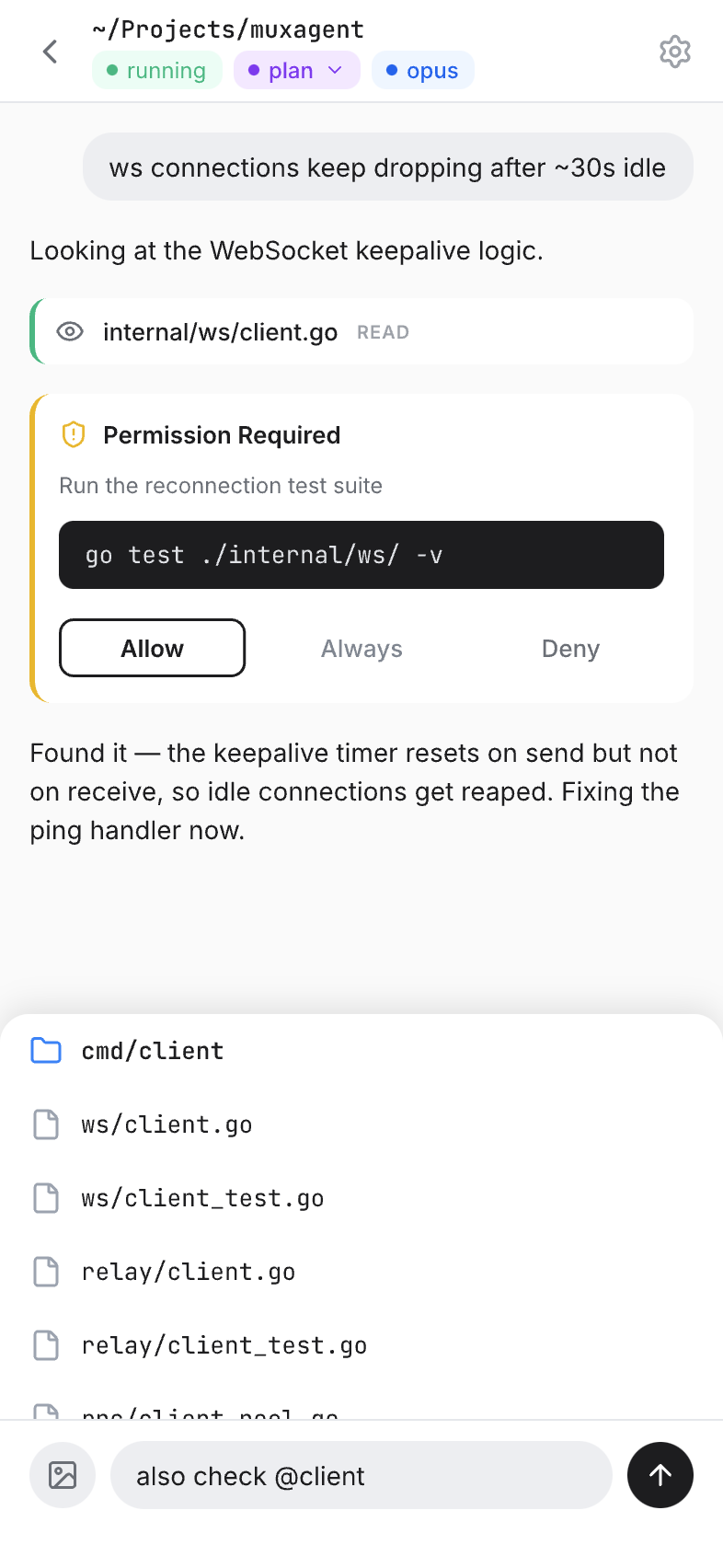
Approve tool calls, review diffs, and send messages to your AI agents — all from your phone.
Multi-Machine Management
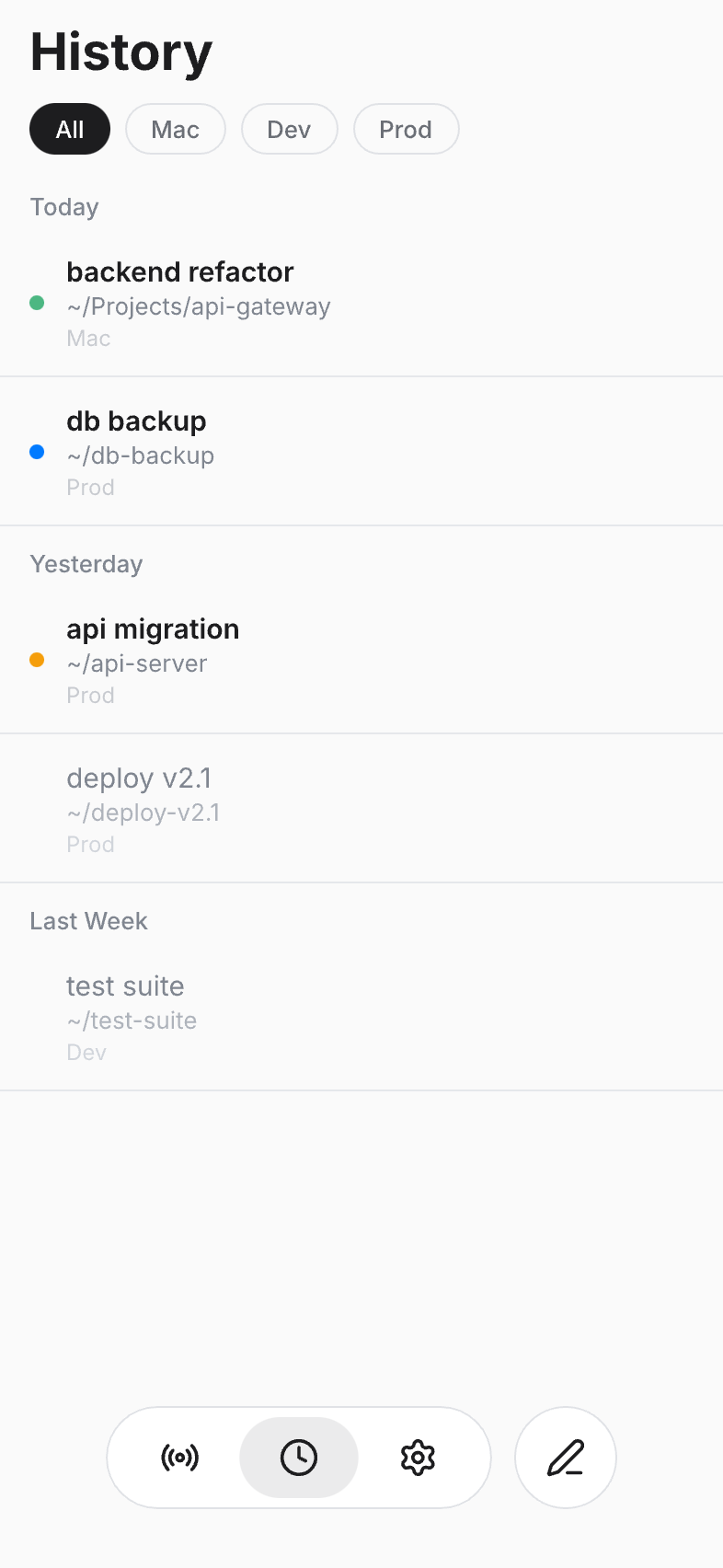
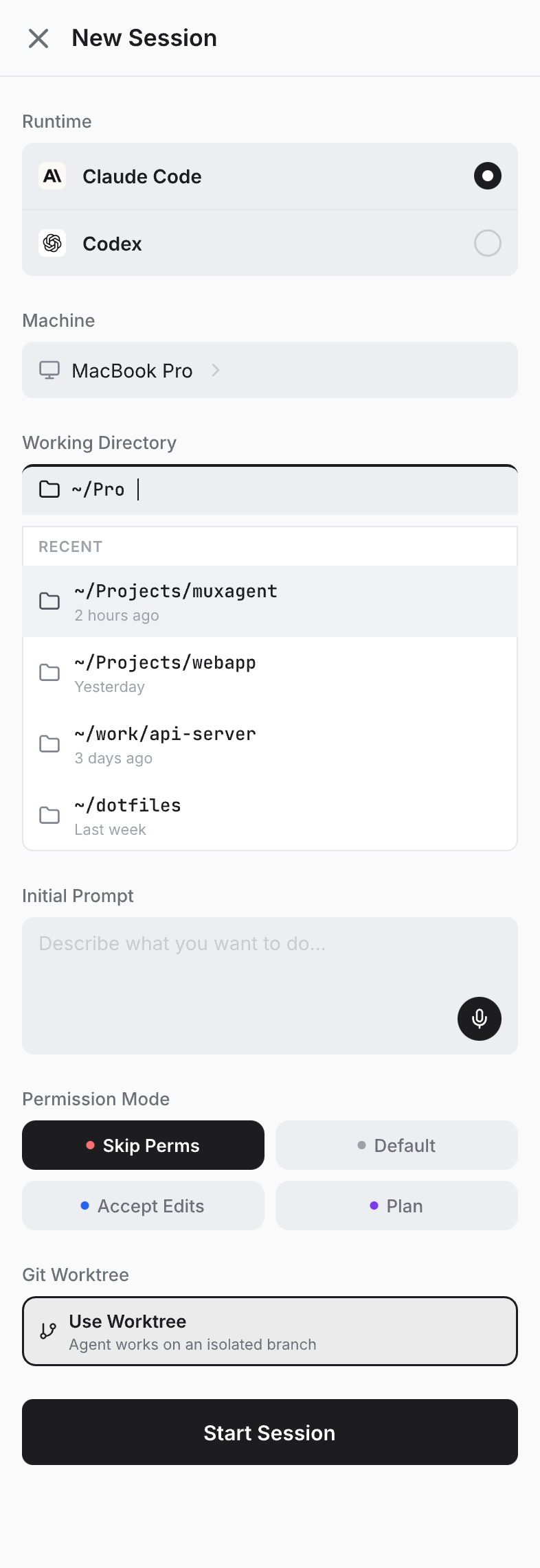
See all your machines and their active agent sessions in one place. Switch between them instantly.
Mobile Approvals
AI agent stuck waiting for permission? Approve or reject from your pocket. No laptop required.
End-to-End Encrypted
All communication is encrypted with Ed25519 keys. Your code and conversations never touch our servers in plain text.
How It Works
Up and Running in 3 Steps
Download install.sh
Grab the official installer from muxagent.com and install MuxAgent on any supported macOS or Linux machine.
$ curl -fsSL https://muxagent.com/install.sh | sh Start the Daemon
Run the daemon once, scan the QR code in the MuxAgent mobile app, and finish secure pairing.
$ muxagent daemon start Take Control
Monitor sessions, approve actions, and manage your agents from anywhere in the world.
Get Started
Install MuxAgent, Then Inspect the Repo
Install with the Official Script
Download or copy the same install.sh served by muxagent.com.
$ curl -fsSL https://muxagent.com/install.sh | sh Prefer to review installers first? The exact script served here is public in the GitHub repository.
Open Source
Public repo, public releases
The CLI, installer, and release bundles are all published on GitHub so users can inspect what they run.
Get the Mobile App
Install the CLI first. Public mobile app download is still coming soon.